
How to Get Started with InvestGlass Calendar ?
Welcome to InvestGlass Calendar!
This guide will help you navigate and utilize the calendar feature on the InvestGlass platform effectively. Follow these steps to get started:
Accessing the InvestGlass Calendar
Login to InvestGlass: Start by logging into your InvestGlass account.
Navigate to the Calendar:
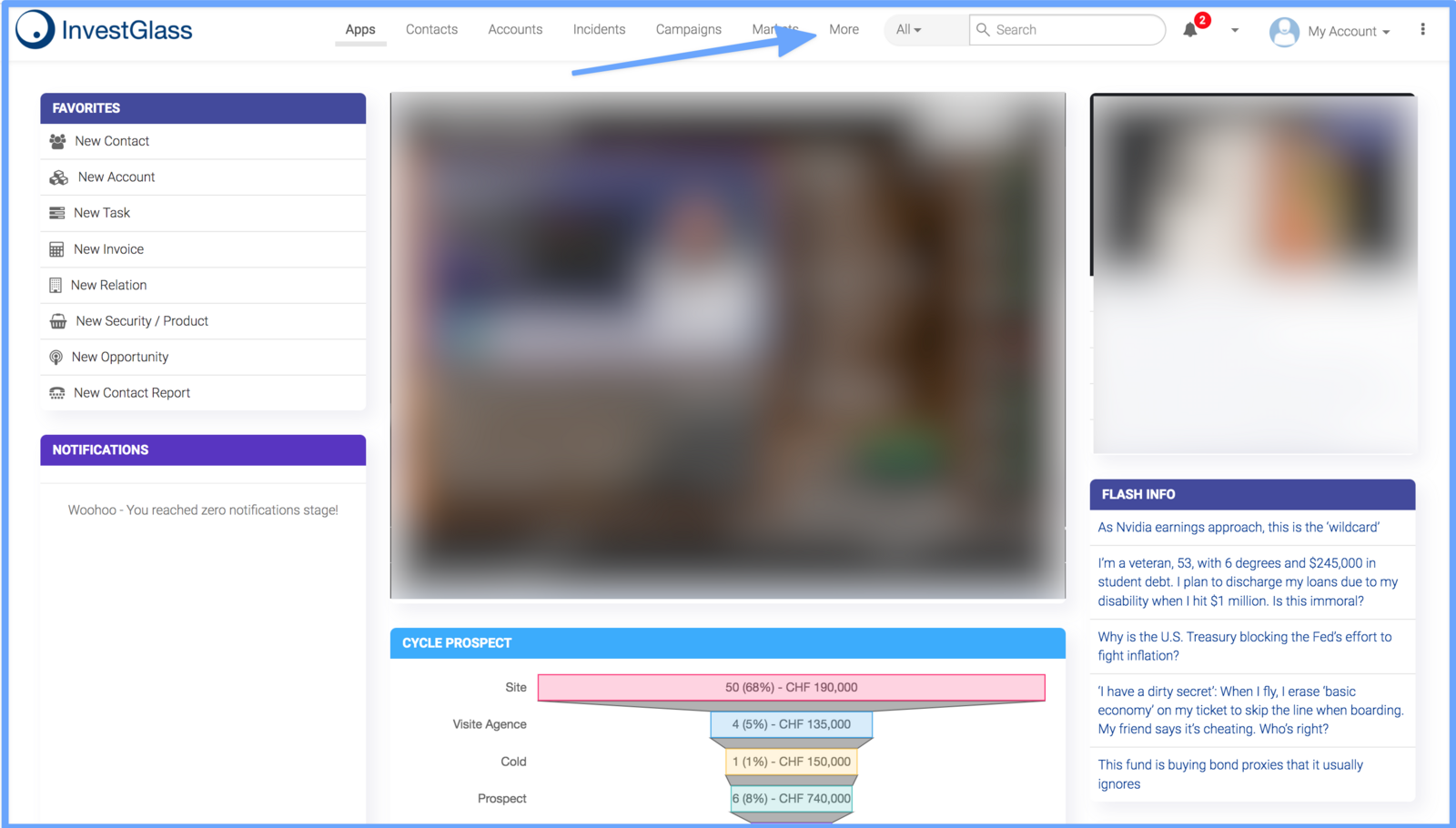
After logging in, locate the “More” tab in the main navigation bar at the top of the page.
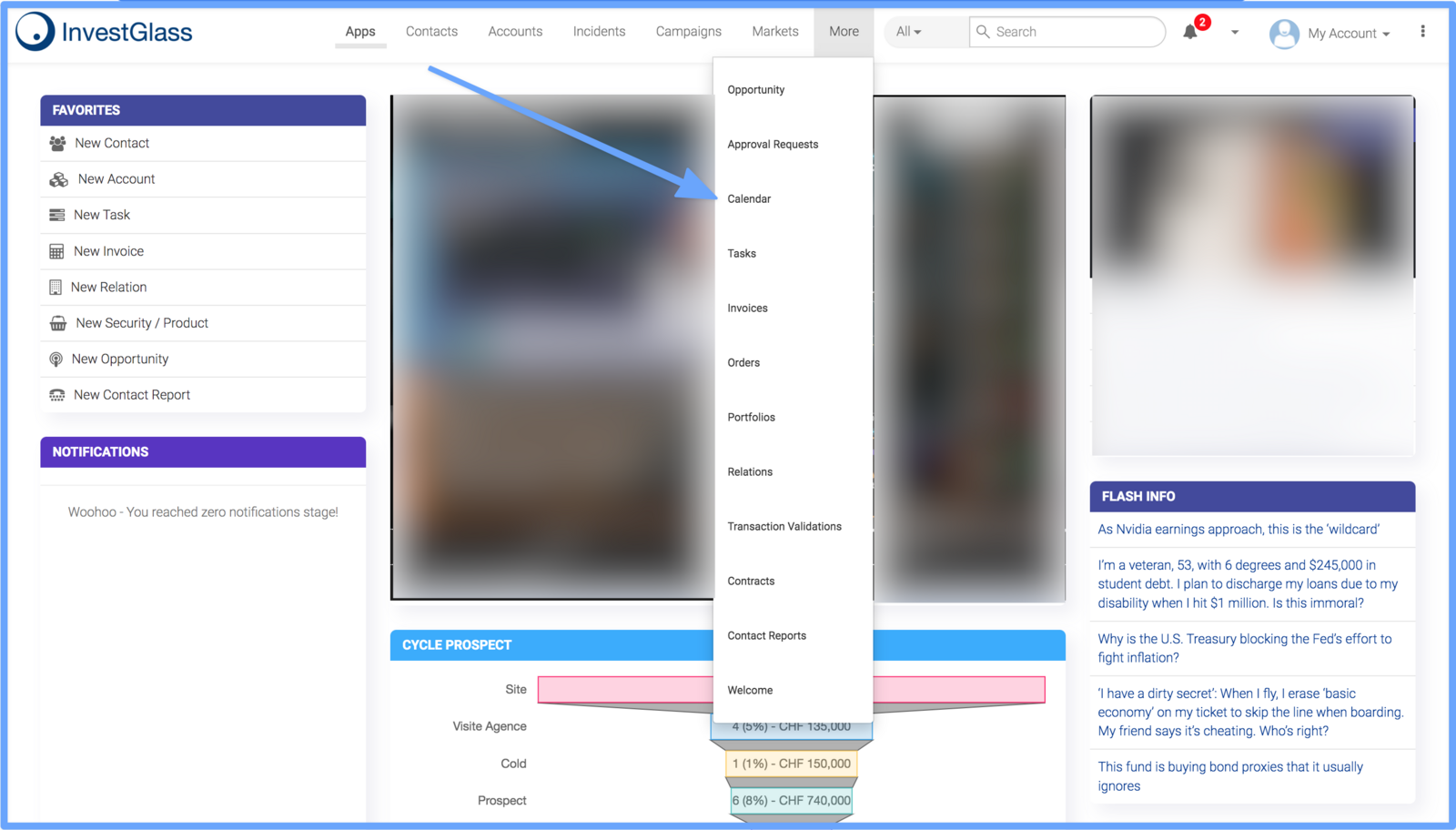
Click on “More” to reveal a dropdown menu.
Select “Calendar” from the dropdown menu to access your InvestGlass calendar.
This action will take you to the calendar interface where you can manage your schedule and events.
Understanding the Calendar Interface
Once you're on the calendar page, you will see a user-friendly interface designed to help you organize your time:
Monthly Overview:
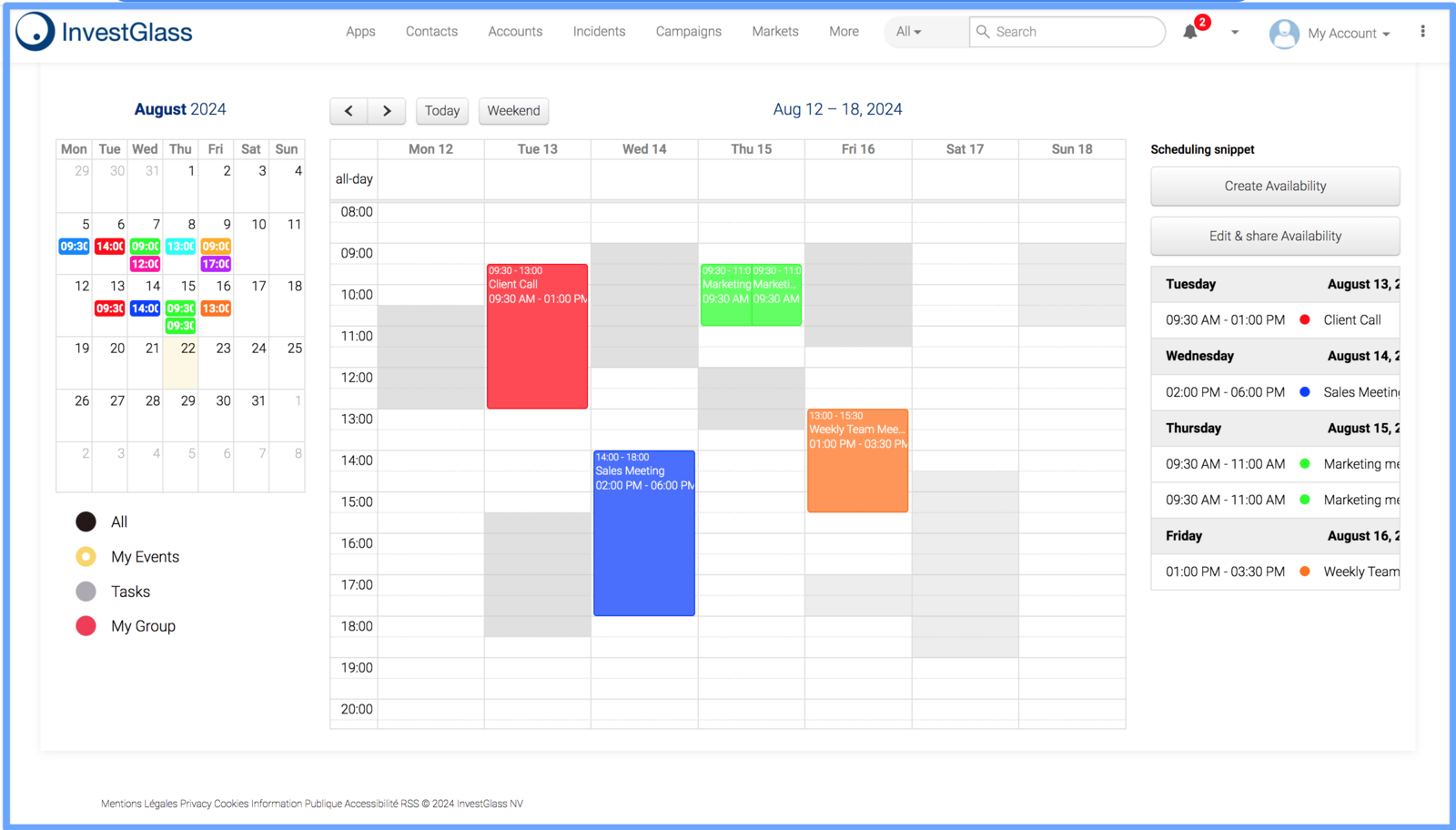
The left side of the screen displays a mini calendar that gives you an overview of the entire month. This section allows you to quickly jump to any specific date by simply clicking on it.
Events are color-coded based on their category:
Yellow: My Events
Gray: Tasks
Red: My Group
Black: All
Weekly View:
The main section of the calendar shows a weekly view, broken down by day and hour.
You can click on any time slot to create a new event directly from the calendar.
Creating & Managing Events:
To create a new event, click on the “Create Availability” button on the right side of the calendar.
You can also edit and share your availability using the “Edit & Share Availability” button.
All scheduled events will be displayed on the calendar, allowing you to manage them efficiently.
Tips for Using InvestGlass Calendar
Syncing: Ensure that your calendar is synced with other tools or devices you use for seamless management.
Color Coding: Utilize the color-coding system to quickly differentiate between personal tasks, group meetings, and general events.
Notifications: Set up reminders and notifications for important events to stay on top of your schedule.
By following these steps and tips, you’ll be able to effectively manage your schedule using the InvestGlass calendar.